NetMotion Diagnostics®4.73.23889
Publisher Description
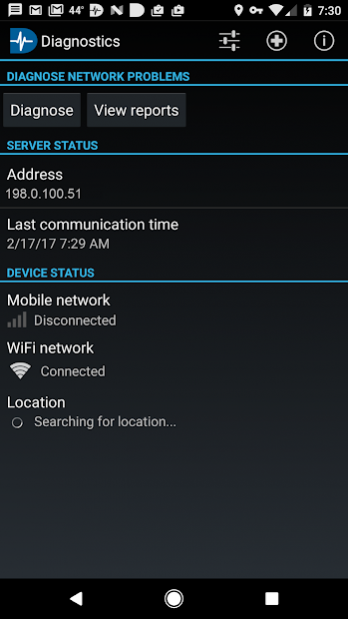
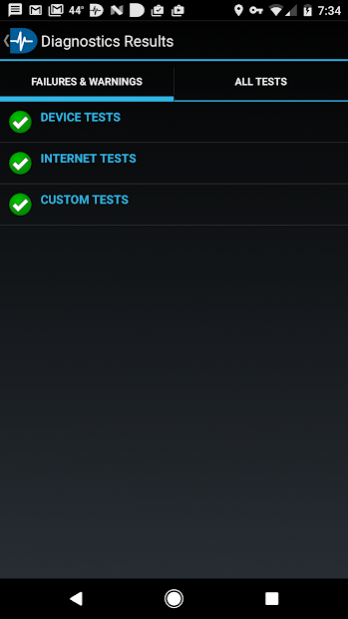
Use NetMotion Diagnostics® to pinpoint Wi-Fi and cellular connectivity problems quickly and accurately in the field to keep mobile users productive. Analyze real-time data across your enterprise and receive proactive alerts as problems arise. Diagnose end-to-end network performance from the device, across cellular and WiFi networks, to corporate and cloud servers. No more painstaking back-and-forth communication between end-users and IT staff when problems occur. Seamlessly add mobile user and network data to your SIEM and APM solutions.
Automate troubleshooting - With dynamic Mobility policies or with the click of a button, analyze the data path between devices and application servers to identify the root cause of a connectivity problem.
Reduce Mean-Time-to-Repair - Instead of trial-and-error troubleshooting or multiple calls between carrier, application and device vendors, Diagnostics pinpoints probable causes, dramatically reducing mean-time-to-repair (MTTR).
Shift from Reactive to Proactive - With access to actionable, GPS-located network, device and usage data from the field, IT teams can analyze and plan rather than just react.
Improve Supportability - Gain insight into how devices perform and the most common causes for failure in different environments.
Flexible Deployment - the server may be deployed on-premises or deployed as a cloud-hosted SaaS (Software as a Service) subscription.
NOTE: NetMotion Diagnostics requires a Diagnostics server, available as SaaS or on-premises. For details, visit http://www.netmotionsoftware.com.
Keep the feedback coming!
About NetMotion Diagnostics®
The company that develops NetMotion Diagnostics® is NetMotion Software, Inc.. The latest version released by its developer is 4.73.23889.
To install NetMotion Diagnostics® on your Android device, just click the green Continue To App button above to start the installation process. The app is listed on our website since 2021-03-25 and was downloaded 18 times. We have already checked if the download link is safe, however for your own protection we recommend that you scan the downloaded app with your antivirus. Your antivirus may detect the NetMotion Diagnostics® as malware as malware if the download link to com.nmwco.locality is broken.
How to install NetMotion Diagnostics® on your Android device:
- Click on the Continue To App button on our website. This will redirect you to Google Play.
- Once the NetMotion Diagnostics® is shown in the Google Play listing of your Android device, you can start its download and installation. Tap on the Install button located below the search bar and to the right of the app icon.
- A pop-up window with the permissions required by NetMotion Diagnostics® will be shown. Click on Accept to continue the process.
- NetMotion Diagnostics® will be downloaded onto your device, displaying a progress. Once the download completes, the installation will start and you'll get a notification after the installation is finished.
Program Details
System requirements
Download information
Pricing
Version History
version 4.73.23889
posted on 2021-03-25
Bug fixes
version 4.70.24243
posted on 2019-10-07
Android 10 support, Bug fixes
version 4.10.30204
posted on 2017-05-30
This release dramatically expands network support and increases the quality, speed and accuracy of data collection:
- Added Wi-Fi network support that tracks networks (SSID), access points (BSSID), roaming, bytes in/out, connection failures, authentication methods and cyphers.
- Added Wi-Fi location support for better indoor location (optional).
- Supports organizationally administered settings when connected to a Diagnostics 4.0 server.
version 3.30.64287
posted on 2016-07-05
• We’ve renamed our app NetMotion Diagnostics to better reflect its purpose and direction. You’ll see the new name and logo throughout.,• Diagnostics v3.20 is supported on English, Japanese, French, Italian, German, and Spanish language operating systems.,• As always, we have fixed bugs and made minor improvements.
